Choose two currencies
Pick what you have and what you want to understand.
Spin for a quick estimate. Type an exact amount. Keep cached reference rates ready when your signal fades.
No account · No ads · Estimates only
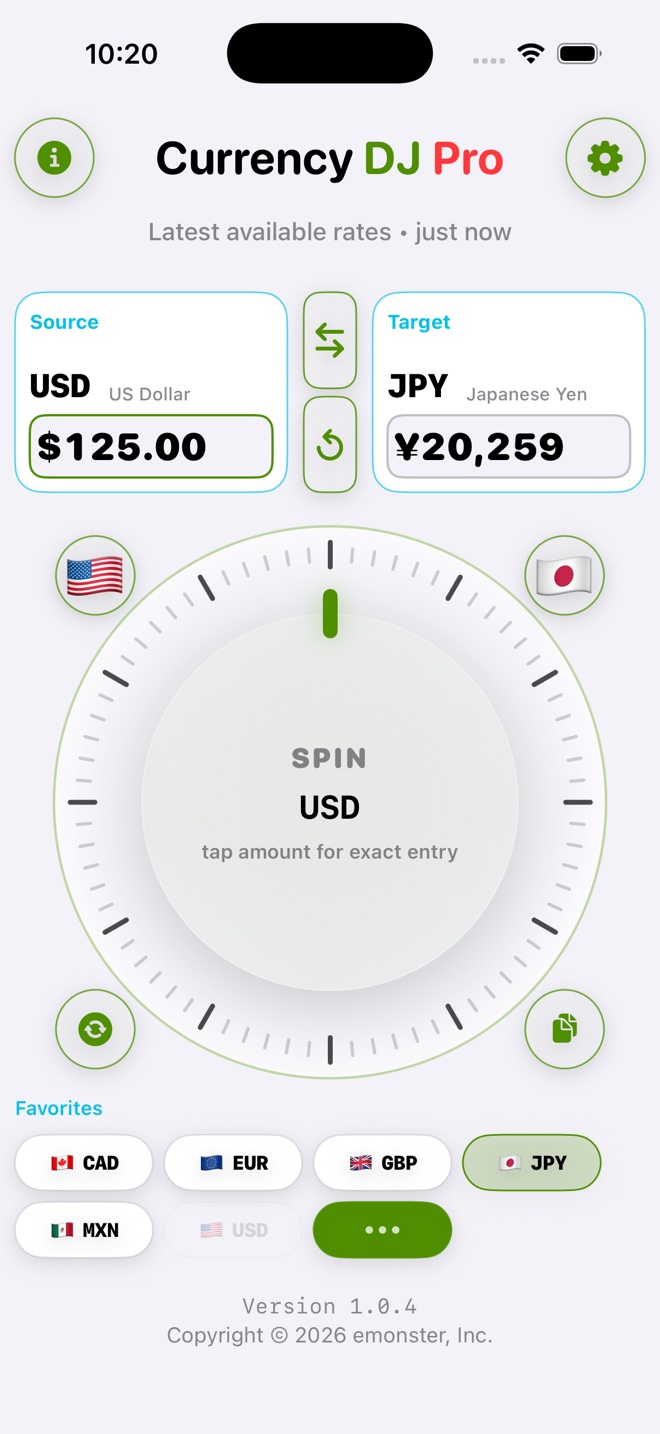
Choose a pair. Spin or type an amount. Currency DJ checks the latest available reference rate, then converts the amount in your browser.
Sample estimate · requesting latest available reference rate…
Reference estimate only. Your bank, card, ATM, or checkout rate may differ.
Spin, type, swap, search 160 selectable currencies, and see rate status without digging through menus.
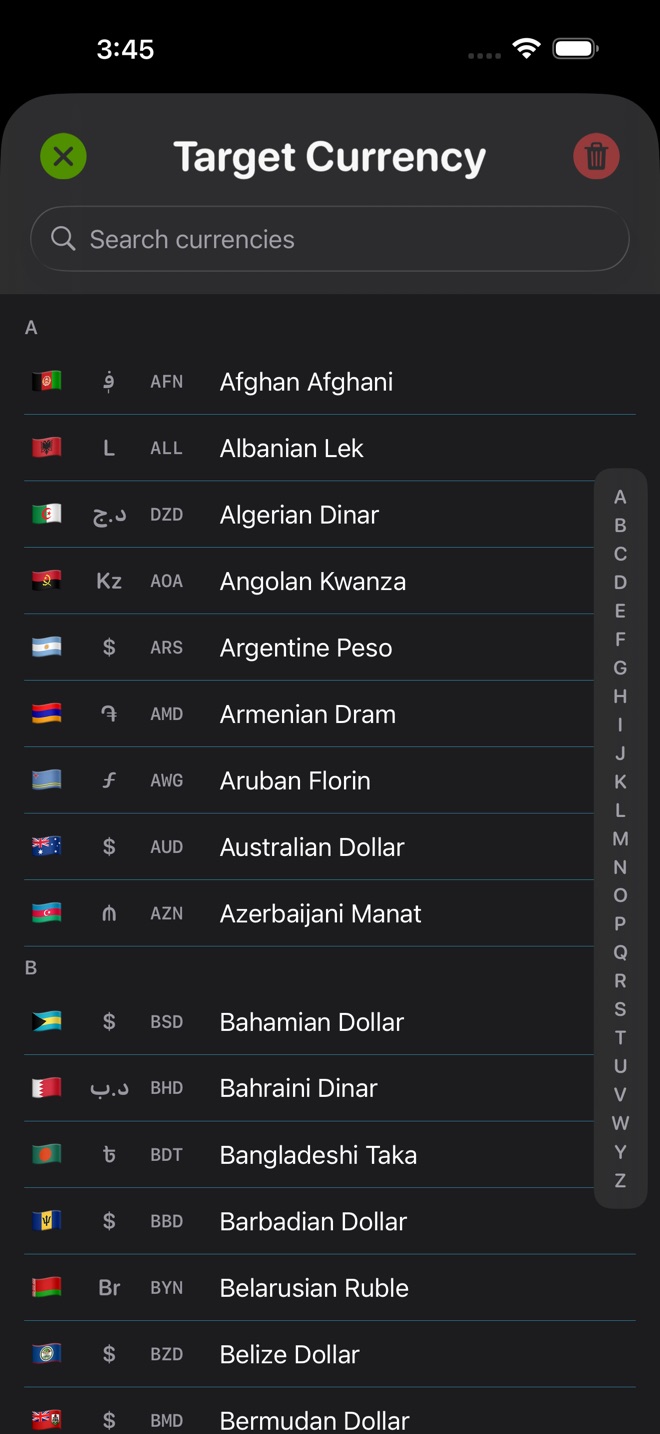
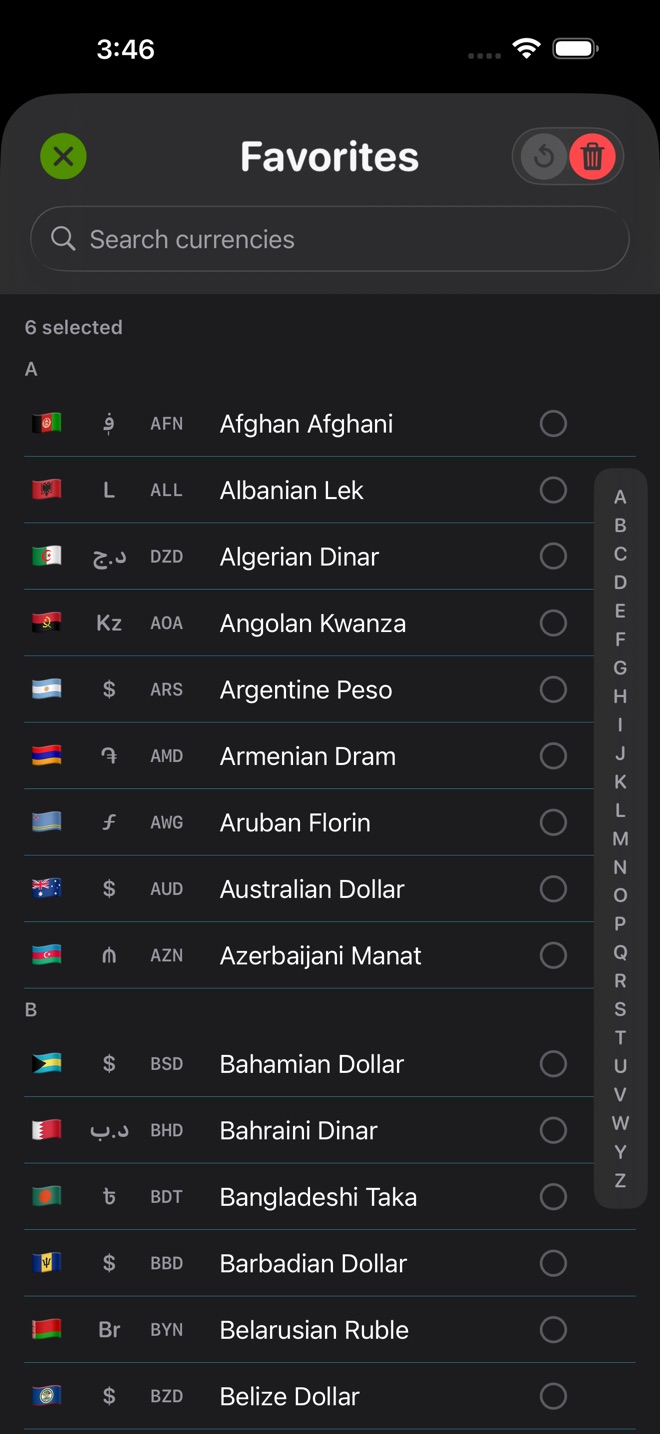
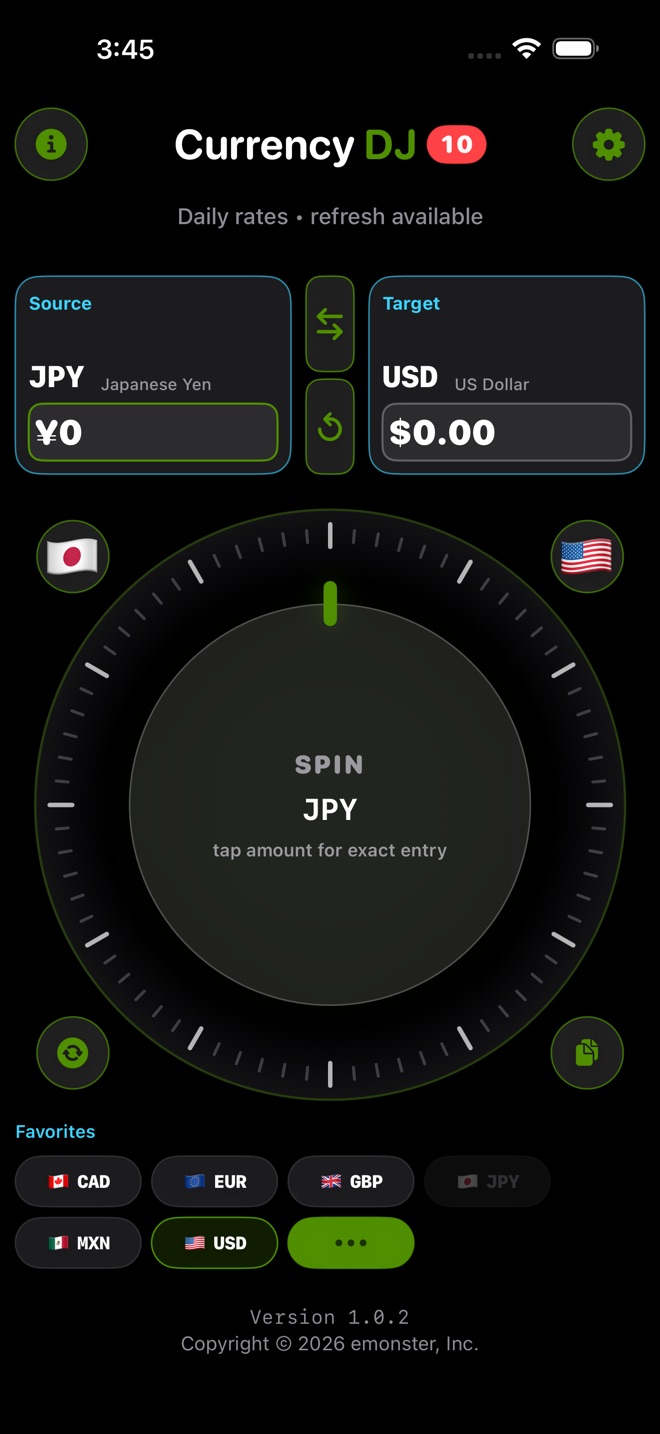
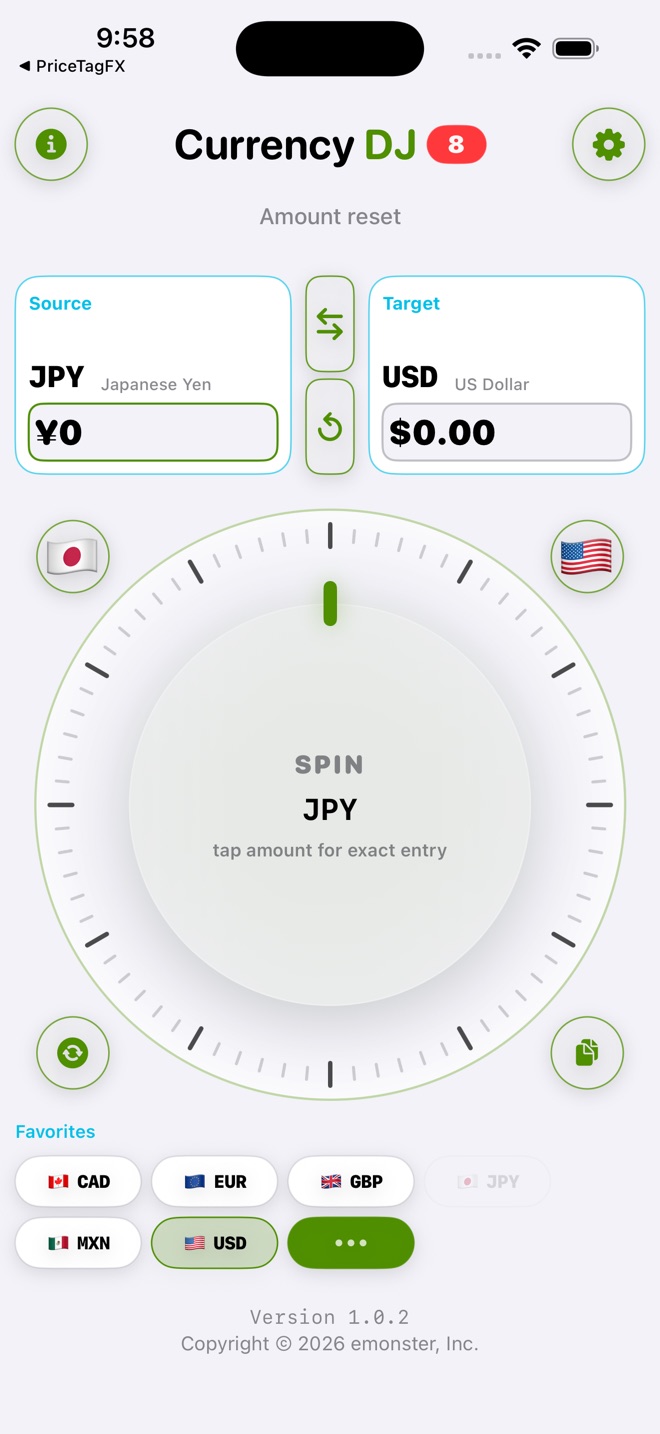
Pick what you have and what you want to understand.
Turn the wheel for speed or type an exact source amount.
See whether the reference rate is refreshed, cached, or stale.
Copy, swap, or jump to a favorite. Check final fees before you pay.
Free gives you the full conversion flow for up to 10 counted conversions each local day. Pro removes that counted-conversion limit and adds more control.
| Feature | Free | Pro |
|---|---|---|
| Counted conversions | 10 each local day | Unlimited |
| Manual refresh | One attempt per 24 hours | 30-second cooldown |
| Favorites | Six defaults | Customize up to 24 |
| Wheel & haptics | Classic | Premium styles and advanced modes |
| Magnetic snapping | — | Included |
| Offline preparation | Selected cached pairs | Expanded relevant cache |
Plans and storefront prices can change. See the App Store for current purchase terms.
Estimate the menu price, then get back to the table.
Estimate the ticket price before the line moves.
Compare nearby prices without starting over.
Estimate the displayed total, then verify fees and checkout terms.
Currency DJ gives reference-rate estimates, not bank, card, ATM, or checkout quotes.
Learn how cached rates work, why final card charges can differ, and what to check before you pay.
Yes, when a locally stored snapshot covers the selected pair. Cached data is marked stale at 14 days.
Read the full answerNo. Currency DJ shows reference-rate estimates. A bank, card, ATM, or checkout can use different timing, fees, or conversion terms.
Read the full answerNo. The app opens directly to the converter. Limited pseudonymous app analytics and crash diagnostics are enabled by default and can be turned off in Settings.
Read the full answerFree includes the complete conversion flow, 10 counted conversions each local day, one manual refresh per 24 hours, and six favorites. Pro expands limits and customization.
Read the full answerTurn clockwise or counterclockwise for quick amount changes, move faster for larger steps, or tap for exact entry.
Read the full answerKeep fast estimates, exact entry, favorites, and cached reference rates on your iPhone.


No account · No ads · Estimates only