
Currency DJ can convert without a connection only when it already has a downloaded snapshot containing the currencies it needs. Same-day data appears fresh, 1–13-day-old data appears cached, and data 14 or more days old appears stale. A stale snapshot can still calculate, so always inspect its age before relying on the estimate.
Offline does not mean rate-free
The app performs conversion arithmetic locally, but it still needs a rate relationship. Online, Currency DJ requests reference-rate records using currency codes. It stores successful snapshots per base currency under the app’s local Application Support storage so later calculations can reuse them.
A snapshot can support a direct relationship or a cross-currency calculation when it contains both currencies. If no stored snapshot covers the pair, the app cannot invent the missing rate while offline.
Fresh, cached, and stale are age signals
Currency DJ classifies cached data by calendar age. Same-day data is fresh. Data from 1 through 13 calendar days ago is cached. At 14 calendar days or older, the status is stale.
There is no hard expiration that automatically deletes or disables an old snapshot. That choice preserves a last-resort estimate, but it also means that a successful calculation is not proof that the underlying rate is recent.
How snapshots are warmed and refreshed
The converter warms rates during initial use. Within one app session, each base is warmed once, and a covering snapshot less than 12 hours old can prevent another network request. That 12-hour warmup window is different from the same-day, cached, and stale labels.
Manual refresh has its own plan limits. Free allows one attempt every 86,400 seconds, even if the attempt fails. Pro uses a 30-second cooldown and can prepare a wider set based on source, target, favorites, and recents, capped at 12 base currencies.
Decide whether an offline estimate is fit for purpose
An older rate may be adequate for rough mental budgeting in a stable pair and inadequate for a large purchase, a volatile period, or a transaction with a tight spending limit. The status tells you age, not risk.
When the amount matters, reconnect and refresh, then compare the estimate with the actual bank, card, ATM, merchant, or exchange-counter terms. Even a newly refreshed reference record can differ from a transactional quote.
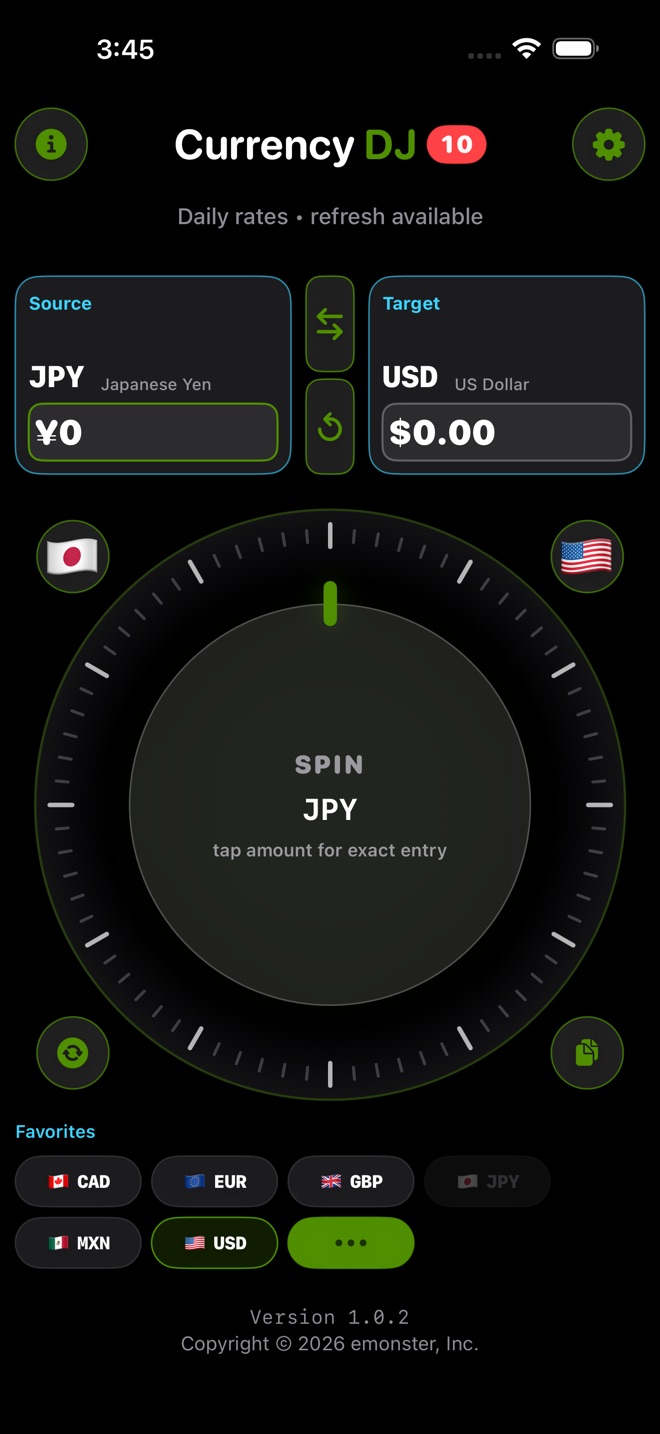
How to use Currency DJ
- While online, set the exact source and target currencies you expect to use offline.
- Trigger a refresh and wait for the app to show a usable rate status.
- If you have Pro and several travel currencies, open or favorite the relevant currencies so expanded preparation can include the useful set, within its 12-base cap.
- Before losing service, reopen the pair and confirm that it still produces a result.
- Offline, read the status before the number and treat cached or stale values with increasing caution.
- Reconnect for a new provider record before any consequential purchase or transfer decision.
Limits to keep in view
- Currency DJ results are estimates based on the latest available or a cached reference rate. They are not bank, card, ATM, checkout, exchange-counter, or tradable forex quotes.
- No cache means no offline rate for that pair, even though both codes may appear in the picker.
- The app does not guarantee provider coverage for all 160 locally selectable codes.
- Stale snapshots remain calculable indefinitely; the app does not hard-expire them after 14 days.
- A status describes stored-data age, not whether the estimate is suitable for your transaction.
Troubleshooting
The app says the rate is unavailable while offline.
There is no stored snapshot covering the pair. Connect to the internet, select that pair, and refresh before trying offline again.
The app uses a rate even though the status is stale.
That is expected: stale data does not hard-expire. Treat it as a rough fallback and refresh before relying on it.
Opening the app did not fetch a new rate.
A covering cache less than 12 hours old can suppress session warmup. Use manual refresh if eligible and you specifically need the newest available provider record.
A Free refresh failed and cannot be repeated immediately.
Free records the attempt before the request completes. Wait until the 86,400-second interval ends and use a reliable connection for the next attempt.
Frequently asked questions
Can Currency DJ work completely offline on first launch?
Not for a new currency relationship. It needs a previously downloaded snapshot that contains the required rates.
Does a stale rate stop working after 14 days?
No. Fourteen days changes the status to stale, but the snapshot does not hard-expire and can still produce an estimate.
Is a cached rate the same as a current card rate?
No. It is an older provider reference record. A card charge can also include a different timestamp, spread, network method, and fees.
Why does Currency DJ sometimes skip an automatic fetch?
During session warmup, a stored snapshot that covers the pair and is less than 12 hours old can be reused instead of fetched again.
Sources and further reading
- Frankfurter exchange-rate API — Documentation for the reference-rate provider used by Currency DJ.
- Currency DJ: FX Converter on the App Store — Apple’s current product listing for Currency DJ.
Make the next conversion tactile
Download a usable reference snapshot before the signal disappears, then keep the displayed age beside every offline estimate.
Get Currency DJ on the App Store