
Before a trip, select your home and destination currencies, save the useful targets, and refresh while you have a reliable connection. Currency DJ can then convert with downloaded snapshots when you are offline, but you should always check whether the displayed rate is fresh, cached, or stale and treat the result as an estimate.
Prepare the pair before you leave
Set the source to the currency printed on local prices and the target to the currency you use for budgeting. This direction makes a café bill, train fare, or hotel price immediately comparable with a familiar amount. Swap the pair when you instead want to ask how much local currency a home-currency budget represents.
Open both pickers while connected and confirm that the provider can return a usable record for the pair. Currency DJ has 160 selectable codes, but the selectable list is broader than any guarantee of current provider coverage.
Build a small travel set
Free users have six fixed favorites: USD, JPY, EUR, GBP, CAD, and MXN. Pro users can add and organize up to 24 favorites, which is useful for a multi-country itinerary or a trip with a transit currency.
Pro’s expanded offline refresh considers the source, target, favorites, and recent currencies, capped at 12 base currencies. The cap matters: it is a preparation aid, not a promise that every favorite or all 160 selectable codes will always be available offline.
Refresh at a sensible moment
Refresh over a reliable connection shortly before you expect to lose service. The app fetches Frankfurter’s latest available reference-rate record, not a streaming market quote. During a session, a covering cached snapshot less than 12 hours old can suppress another automatic warmup fetch.
No account is required—the app has no Currency DJ sign-in. Free use allows one manual refresh attempt per 86,400 seconds. The attempt is recorded before the network request, so a failed request still starts the interval. Pro refresh has a 30-second cooldown.
Use travel estimates with context
Same-day cached data is presented as fresh, data 1–13 calendar days old as cached, and data 14 or more days old as stale. Stale snapshots do not hard-expire, which is useful when there is no connection but makes the status label essential.
For budgeting, round conservatively and leave room for taxes, tips, deposits, issuer fees, cash-machine fees, and exchange spreads. Currency DJ cannot know the final rules of the transaction you are about to make.
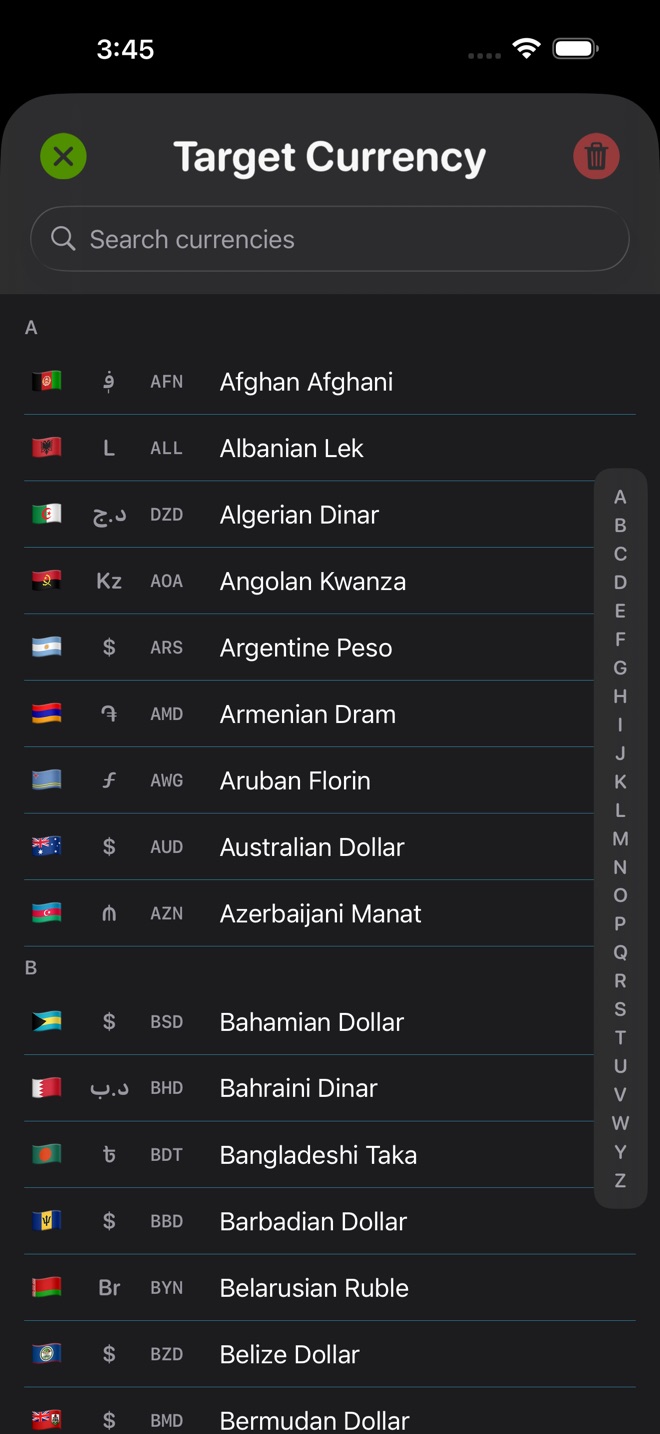
How to use Currency DJ
- Choose the destination currency as the source and your home or budgeting currency as the target.
- Select each pair you expect to use and confirm that it produces a result while you are online.
- Add useful favorites if your plan allows it, keeping the most common trip currencies easy to reach.
- Manually refresh shortly before departure or before entering a low-connectivity area, then note the displayed status.
- During the trip, use the wheel for quick price ranges and exact entry for a specific fare, bill, or receipt.
- Before paying, compare the estimate with the actual transaction currency, total, and disclosed fees.
Limits to keep in view
- Currency DJ results are estimates based on the latest available or a cached reference rate. They are not bank, card, ATM, checkout, exchange-counter, or tradable forex quotes.
- Offline conversion only works for currency relationships contained in a snapshot that was downloaded earlier.
- Stale cached rates remain usable without a hard expiration, so an offline result can be much older than 14 days.
- A failed Free manual refresh still consumes the one-attempt-per-86,400-seconds allowance.
- Pro expanded offline refresh is capped at 12 base currencies and does not guarantee provider coverage.
Troubleshooting
You arrive without a usable offline conversion.
Reconnect, open the exact pair, and refresh. Offline use requires a previously downloaded snapshot that contains the needed currency relationship.
The rate label says stale.
Use the value only as a rough fallback. Refresh when possible and avoid making a high-stakes decision from an old snapshot.
A favorite cannot be added or reorganized.
Free uses six fixed favorites. Adding and organizing favorites is a Pro feature, with a limit of 24.
Manual refresh is unavailable after a connection error.
The allowance begins when the attempt starts, not when it succeeds. Free must wait 86,400 seconds; Pro uses a 30-second cooldown.
Frequently asked questions
Should I refresh Currency DJ at the airport?
Refresh anywhere you have a reliable connection shortly before you expect to be offline. Confirm the pair works and check the rate status after the attempt.
Can Currency DJ cover a multi-country trip?
Yes, subject to provider coverage and plan limits. Pro can organize up to 24 favorites and expands offline refresh across useful and recent currencies, capped at 12 bases.
Does the travel estimate include card and ATM fees?
No. It estimates from a reference rate. Issuer, network, merchant, ATM, and exchange-counter fees or spreads are separate.
Does Currency DJ need a travel account or login?
No. Currency DJ has no account or authentication flow. Store purchases are handled through Apple, and the app separately uses limited pseudonymous analytics and crash diagnostics.
Sources and further reading
- Currency DJ: FX Converter on the App Store — Apple’s current product listing for Currency DJ.
- Frankfurter exchange-rate API — Documentation for the reference-rate provider used by Currency DJ.
- Currency DJ Privacy Policy — The app’s disclosure of local processing, analytics, and crash diagnostics.
Make the next conversion tactile
Prepare the currencies you will use, refresh before low-connectivity moments, and keep a clear estimate within reach.
Get Currency DJ on the App Store