
Currency DJ applies the latest available or a cached Frankfurter reference-rate record to your amount locally. A card, bank, ATM, merchant, or exchange counter may use a different timestamp or conversion source and add a spread, fixed fee, percentage fee, or rounding rule. The difference does not by itself mean either calculation is broken—they answer different questions.
A reference rate is a benchmark, not a transaction
Currency DJ requests provider records for currency codes and performs the amount multiplication on the iPhone. The result is useful for comparison and budgeting because it gives a consistent reference point.
No money changes hands in that calculation. A transactional provider must price an actual purchase, withdrawal, transfer, or cash exchange under its own timing and commercial terms.
Timing can change the underlying rate
Currency DJ fetches Frankfurter’s latest available record when a refresh succeeds. “Latest available” does not mean a continuously streaming or guaranteed intraday quote. A cached estimate can be older still.
A card transaction may be authorized on one date and converted or settled on another. A bank transfer, ATM, checkout service, or exchange counter can select a rate at a different stage. Comparing values without comparing timestamps can make a normal timing difference look mysterious.
Spreads, fees, and rounding change the total
A provider can build compensation or risk into the difference between its buy and sell prices, charge a fixed or percentage fee, or combine both. An ATM owner and your bank may each have separate terms. A merchant may add tax, tips, deposits, or later adjustments unrelated to the exchange rate itself.
Currency rounding matters too, especially for small totals or currencies with different minor-unit conventions. Compare the full amount paid with the full amount received rather than evaluating a single displayed rate in isolation.
Use the estimate as a diagnostic starting point
Record the source amount, target amount, transaction date, settlement date if available, and each disclosed fee. Then calculate the effective transaction rate from the final totals and compare it with the reference estimate from the relevant time.
If the difference remains unclear, the institution that processed the transaction is the authority on its method. Currency DJ cannot inspect an account agreement or reverse-engineer a charge from a reference record alone.
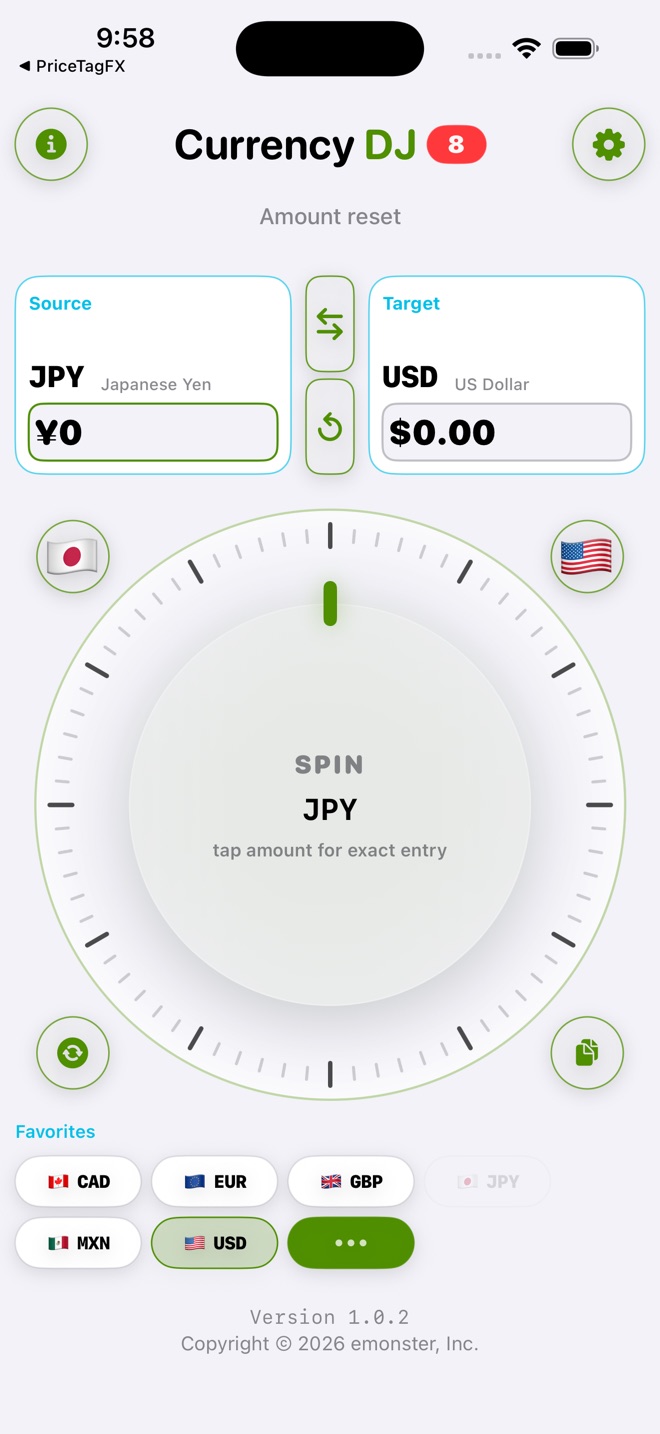
How to use Currency DJ
- In Currency DJ, select the same source and target currencies as the transaction and enter the source amount exactly.
- Check whether the app is showing a fresh, cached, or stale rate and note the provider date or status available in the interface.
- Find the final charged amount, not only a pending authorization, and list all separately disclosed fees.
- Check the card, bank, ATM, merchant, or exchange-counter terms for its conversion source, timing, spread, and fee rules.
- Compare like with like: same direction, same amounts, relevant dates, and totals that either both include or both exclude fees.
- Contact the transaction provider when you need an authoritative explanation or believe its disclosed terms were not followed.
Limits to keep in view
- Currency DJ results are estimates based on the latest available or a cached reference rate. They are not bank, card, ATM, checkout, exchange-counter, or tradable forex quotes.
- Currency DJ cannot see card agreements, account-specific fee waivers, merchant adjustments, ATM charges, or settlement timing.
- A newly fetched provider record is the latest available reference data, not a guaranteed real-time market quote.
- A cached or stale result may reflect a materially different market period from the transaction.
- This guide explains comparison mechanics; it is not financial, legal, tax, or dispute-resolution advice.
Troubleshooting
The comparison appears inverted.
Confirm which currency is the source and which is the target. Swap the pair or invert the rate before drawing conclusions.
The pending card amount and final statement amount differ.
Wait for settlement before making a final comparison. Timing, tips, deposits, and later merchant adjustments can change a pending authorization.
The rate seems close but the total is not.
Look for fixed fees, percentage fees, minimum charges, taxes, tips, or rounding. A small rate difference is not the only possible source of a larger total difference.
You need to challenge the charge.
Keep the receipt and statement, then ask the merchant or issuer for its applied rate, date, and fees. Currency DJ can provide context but is not evidence of the contract governing the charge.
Frequently asked questions
Why is my card conversion worse than the Currency DJ estimate?
The card may use different timing or a different conversion source and may add a spread or fee. Compare the issuer’s final settled total and disclosed terms with the app’s reference-rate age.
Does a difference prove that my bank made an error?
No. A reference estimate and a transactional conversion are not the same product. Ask the bank to explain the rate, date, and fees it applied if the result is unexpected.
Are Currency DJ rates tradable forex quotes?
No. Currency DJ uses reference-rate records for consumer estimates; it is not a trading platform and does not provide executable market prices.
Does refreshing guarantee the rate at checkout?
No. Refreshing asks for the provider’s latest available record. A checkout or issuer can use a different source, time, spread, and fees.
Sources and further reading
- Frankfurter exchange-rate API — Documentation for the reference-rate provider used by Currency DJ.
- Currency DJ: FX Converter on the App Store — Apple’s current product listing for Currency DJ.
Make the next conversion tactile
Keep a clear reference estimate ready for budgeting and comparison, without confusing it for the rate that executes a transaction.
Get Currency DJ on the App Store