
Currency DJ does not require an app account and does not display ads or use cross-app advertising tracking. Entered amounts are converted locally and exact amounts and results are omitted from app analytics. The app does use Firebase Analytics and Crashlytics with a pseudonymous install identifier, currency-code and feature context, purchase events, and diagnostics, and there is currently no in-app analytics opt-out.
No account is a specific, verifiable promise
Currency DJ has no sign-up, login, authentication, profile, or cloud account flow. You can open the converter, choose currencies, and enter an amount without giving the app an email address or creating a Currency DJ identity.
Apple still handles App Store downloads, subscriptions, and purchases under Apple’s systems. That relationship is separate from a Currency DJ account, which does not exist.
Amounts are calculated locally
The app asks Frankfurter for rate records using source and target currency codes. It applies the rate to the entered amount on the iPhone using Decimal arithmetic. The amount and result are not placed in the provider request.
Exact conversion amounts and results are also intentionally omitted from app analytics events. Currency codes, triggers, Pro state, quota counts, favorite actions, onboarding and paywall actions, and diagnostics can still be collected, so “local amounts” should not be expanded into a claim of no analytics.
The app uses limited pseudonymous telemetry
Firebase Analytics and Crashlytics are enabled when the app starts. Currency DJ creates a random install UUID in the Keychain and assigns it as a pseudonymous Analytics and Crashlytics user identifier. The app has no control that disables this collection today.
Telemetry can include app and build context, device family, locale-derived country, source and target currency codes, usage and feature events, product and purchase information, and crash or non-fatal diagnostics. Purchase analytics can include transaction and product identifiers, value, and currency.
No ads and no cross-app advertising tracking
Currency DJ does not render advertising. Its approved privacy wording is narrower and more accurate than a blanket “no tracking” claim: no account, no ads, and no cross-app advertising tracking, alongside limited pseudonymous analytics and crash diagnostics.
This distinction matters because analytics used to understand app operation is still data collection even when it is not used to follow someone across other companies’ apps and websites for advertising.
Website analytics uses a separate choice
The Currency DJ website is designed to keep Google analytics scripts absent until a visitor explicitly allows analytics. Continue without analytics and Preferences controls provide an alternative, and consent can be withdrawn later.
Changing website consent does not change the current iPhone app’s Firebase collection. Read the Privacy Policy for the full disclosure and treat the app and website as separate technical surfaces.
How to use Currency DJ
- Download and open Currency DJ without creating a profile or signing into an app-specific account.
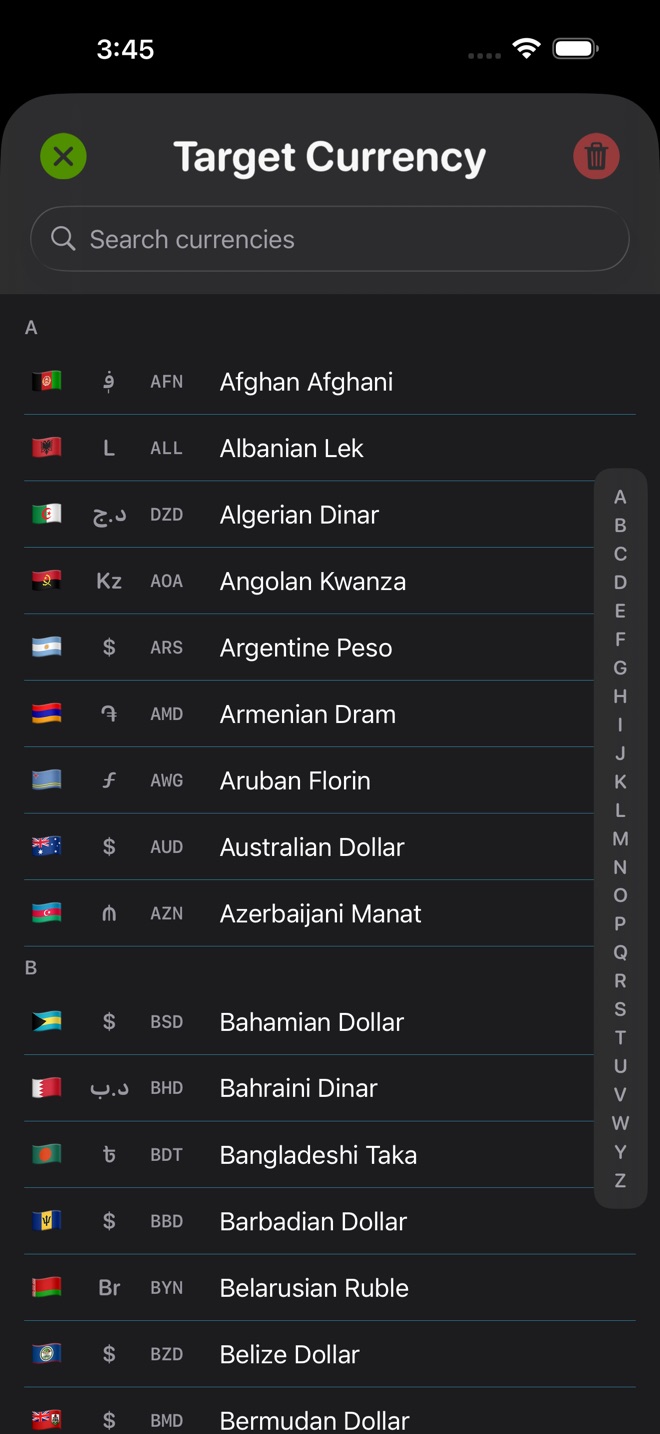
- Choose the source and target currencies; only the codes are needed for a rate request.
- Enter or scrub the amount, which is applied to the downloaded rate locally on the iPhone.
- Review the rate status so local processing is not mistaken for a guarantee that the stored rate is current.
- Read the Privacy Policy to understand pseudonymous analytics, purchase events, and crash diagnostics before deciding whether the app fits your needs.
- On currencydj.com, use the consent controls to allow, reject, review, or withdraw optional website analytics separately.
Limits to keep in view
- Currency DJ results are estimates based on the latest available or a cached reference rate. They are not bank, card, ATM, checkout, exchange-counter, or tradable forex quotes.
- No account does not mean no data collection: Firebase Analytics and Crashlytics are enabled in the app.
- The pseudonymous install UUID is stored in the Keychain and is not an anonymous-session-only identifier.
- The app currently has no in-app switch to opt out of Analytics or Crashlytics collection.
- Website analytics consent does not control analytics inside the installed iPhone app.
- Purchase processing and related transaction data are also governed by Apple and the applicable store relationship.
Troubleshooting
You are asked to create a Currency DJ account.
Currency DJ has no account flow. Confirm that you are in the official app linked from this site and that any Apple prompt belongs to App Store purchase or subscription management.
You want to disable app analytics from Settings.
There is currently no in-app analytics opt-out. Review the Privacy Policy and decide whether that collection model meets your needs before use.
You rejected website analytics but expected the app setting to change.
Website consent governs the website only. It does not alter Firebase Analytics or Crashlytics inside the installed app.
You are concerned that an entered amount was sent to the rate provider.
The provider request uses currency codes and ordinary network metadata, while the amount arithmetic is local. Exact amounts and results are also omitted from app analytics events.
Frequently asked questions
Does Currency DJ require an account?
No. There is no Currency DJ registration, login, authentication, or cloud profile flow.
Does Currency DJ have analytics?
Yes. It uses Firebase Analytics and Crashlytics with a pseudonymous install identifier and app, feature, purchase, and diagnostic context. Exact conversion amounts and results are intentionally omitted.
Does Currency DJ show ads or track me across apps for advertising?
The product does not display ads and does not use cross-app advertising tracking. That does not remove its separate pseudonymous analytics and crash diagnostics.
Are entered amounts sent to Frankfurter?
No. Rate requests use currency codes; Currency DJ applies the selected amount to the returned rate locally on the iPhone.
Can I opt out of analytics in the iPhone app?
Not currently. The app has no Analytics or Crashlytics opt-out control. The website’s optional analytics consent is separate.
Sources and further reading
- Currency DJ Privacy Policy — The app’s disclosure of local processing, analytics, and crash diagnostics.
- Currency DJ: FX Converter on the App Store — Apple’s current product listing for Currency DJ.
- Frankfurter exchange-rate API — Documentation for the reference-rate provider used by Currency DJ.
Make the next conversion tactile
Convert without creating a Currency DJ account, with clear disclosure of local amount processing and the app’s pseudonymous telemetry.
Get Currency DJ on the App Store